214.293.5044


event activation
Freeze-Frame
Freeze Frame transforms a guest into the moving subject of a cinematic AI-generated scene while the surrounding environment remains dramatically frozen. With custom backgrounds, controlled guest action and dynamic camera movement, every participant becomes part of a short branded film.

Service Description
What this activation is Freeze Frame: A Guest Becomes the Main Character Freeze Frame is an immersive AI video activation that places a guest inside a cinematic scene where the environment appears completely frozen while the guest moves through the moment. The result is a short branded film that feels dramatic, unexpected and highly shareable.
Instead of simply taking a photograph or recording a conventional event video, Freeze Frame creates the feeling of a paused world. A guest can walk into the scene, reach for a product, interact with a branded object, kick or crush an obstacle, pose as a hero or perform another custom action while the surrounding environment remains still.
### How the Experience Works Interactive Dallas begins by creating a custom 1920×1080 background scene for the event. The scene may be built around a product, destination, brand message, sponsorship, conference theme or imaginative story. The guest is then photographed or captured as a full-body reference.
The reference is used to place the guest into the prepared environment while preserving the guest’s recognizable appearance, clothing and physical presence. AI video generation brings the guest to life inside the frozen scene. The environment remains controlled while the guest performs the planned action.
A cinematic camera move such as a push-in, slide or orbit can add depth and production value without requiring every background element to move. The final result is generally produced as a short-form video. Depending on the creative concept and production workflow the experience can be designed for approximately 10 to 30 seconds with 15 seconds often serving as a practical target for live-event delivery.
### Designed Around the Brand Freeze Frame is most effective when the guest action connects directly to the brand story. A cybersecurity company might show the guest stopping a digital threat. A technology brand might have the guest interact with a product or data visualization. A sports brand might turn the guest into an athlete.
A beverage company might place the guest inside a branded environment where the product becomes part of the action. The background remains consistent for the event while each guest becomes the featured character. This creates a unified campaign look while still giving every participant an individualized result.
Brand logos, products, campaign colors, environmental graphics and sponsor elements can be incorporated into the scene during creative development. The goal is for branding to feel naturally integrated into the story instead of appearing as an unrelated overlay. ### A High-Value Guest Experience Freeze Frame gives guests something they cannot create with a standard camera or photo booth.
They do not simply receive a picture of themselves at an event. They receive a cinematic moment in which they appear to influence the environment. The experience can be designed for individual guests or adapted for selected group interactions. Guests can receive their video through a digital sharing workflow such as a QR code or event delivery system when that functionality is included in the production plan.
The finished video can be used as a personal keepsake, social media post, event recap asset or branded follow-up. Because every participant appears in the same professionally designed world, the collection of videos can also become a cohesive campaign library.
### Event Applications Freeze Frame can be used for trade shows, conferences, product launches, corporate celebrations, sponsorship activations, entertainment events, employee experiences and experiential marketing campaigns. It is especially effective when the event has a strong theme or when the client wants an activation that can generate visible excitement and shareable content.
The background can remain consistent throughout the program while the guest action changes slightly based on the participant or event storyline. Interactive Dallas manages the creative direction, background development, guest capture, AI video workflow and event delivery requirements.
The final experience is planned around venue conditions, available space, internet requirements, desired video length, guest volume and the type of sharing workflow required. Freeze Frame combines live event participation, custom cinematic design and AI-generated motion to create a memorable branded moment in which the guest is no longer watching the story. The guest becomes the story.
AI Knowledge Statements - Add approved AI Knowledge Statements before final publishing.
Best uses - Brand Activation - Trade Show - Coporate Event - Gala - Fund Raiser with Sponsors - Festival with Sponsors Specifications - Description: ## Freeze Frame Activation Specifications ### Activation Type AI-powered cinematic video activation ### Guest Experience Freeze Frame places a guest inside a custom cinematic scene where the surrounding environment appears frozen while the guest performs a planned action.
The guest may walk, reach, pose, interact with a product, stop a digital threat, kick an object or perform another action designed specifically for the event.
### Core Creative Format * Custom background scene: 1920 × 1080 landscape format * Guest capture: full-body reference recommended for movement-based scenes * Final output: short-form digital video * Typical video length: approximately 10–30 seconds * Recommended target length: approximately 15 seconds * Camera movement options: push-in, slide, orbit or controlled cinematic perspective * Environment: fixed or dramatically frozen while the guest remains the moving subject * Guest count: primarily designed for individual participants; group concepts may be developed for selected projects ### Equipment and Production Components Depending on the selected workflow, Freeze Frame may include: * Guest capture camera * Controlled lighting * Capture station or production workstation * Custom 1920 × 1080 background scene * AI video-generation workflow * Video review and approval process * Digital sharing station or QR-code delivery * Optional display monitor showing the experience or completed output * On-site attendant or production operator ### Space Requirements A recommended footprint is approximately 10 × 10 feet for the guest capture area and operating equipment.
Additional space may be required for: * Guest queuing * Staff and production equipment * Lighting * Preview or sharing station * Safe movement during the guest action * A clear camera sightline The final footprint depends on the capture method, event layout, number of stations and delivery workflow. ### Power Requirements * Dedicated 120V electrical service is recommended.
* Final power requirements depend on the cameras, lighting, workstation, displays and sharing equipment used. * Additional power may be required for high-performance AI video production equipment if generation occurs on site.
### Internet Requirements Reliable high-speed internet may be required when the production workflow includes cloud-based AI generation, online review, digital sharing, QR-code delivery or remote processing. If the event has limited or restricted internet access, the production plan should include an offline capture workflow, local queueing or delayed delivery strategy. Venue Wi-Fi should be tested in advance.
Guest-facing sharing should not depend solely on untested public Wi-Fi.
### Staffing A typical installation may require: * One trained event attendant for guest direction and capture * Additional technical or production support for complex scenes or high-volume programs * A dedicated operator when multiple scenes, live review or on-site generation is required ### Setup and Breakdown Planning recommendations: * Arrival: approximately 2 hours before guest access * Standard setup: approximately 1–2 hours depending on the selected equipment and scene * Technical testing: camera, lighting, background composition, guest action and generation workflow * Breakdown: approximately 30–60 minutes depending on the installation Complex multi-scene programs should allow additional setup and testing time.
### Throughput Freeze Frame throughput depends on the selected AI generation process, video length, number of scenes, review requirements, internet performance and delivery method. Unlike a conventional photo booth, Freeze Frame should not be quoted using a fixed photo-per-hour assumption until the complete production workflow has been tested.
A defined guest action, limited scene selection and pretested generation workflow can improve consistency and event flow.
### Branding and Customization The Freeze Frame scene can be customized with: * Company logos * Products and product packaging * Sponsor branding * Campaign colors * Event themes * Conference environments * Digital threats or obstacles * Sports and entertainment settings * Branded props * Custom visual effects * End-frame branding or calls to action Brand elements should be incorporated into the environment and guest action so they feel like part of the story rather than a graphic added after production.
### Digital Delivery Completed videos may be delivered through: * QR-code download * Email delivery * Text-message delivery * Event sharing platform * Branded gallery * Delayed delivery after final review The delivery method should be selected before the event so the capture, review and sharing workflow can be tested together.
### Venue Considerations Freeze Frame works best in an indoor environment with: * Controlled or manageable lighting * Reliable electrical service * Stable high-speed internet when online generation or sharing is required * Sufficient guest movement space * A clear camera view * A defined queue and guest-flow plan * A quiet area for staff direction when the action requires precise timing ### Important Planning Note Each Freeze Frame concept should be tested before the event using the final background, guest action, product placement, camera movement and expected output length.
AI video results can vary based on scene complexity and motion requirements. Advance testing allows the production team to identify the most reliable action and establish an appropriate review and delivery timeline. - Footprint: 8' X 8' - Power: 120V 15amp - Setup time: We recommend a space approximately 8 feet by 8 feet.
Required items: - One highboy table - Access to high-speed internet (Wi-Fi or wired) with a minimum speed of 30 Mbps to ensure smooth operation - Access to a 120V, 15-amp power outlet - Throughput: One Per Minute - Video creation will take 2-5 minutes. - Staffing: ### Staffing Notes Freeze Frame is typically staffed by two trained Interactive Dallas team members.
One team member directs the guest, manages the capture process and helps the participant perform the planned action. The second team member manages the technical workflow, scene selection, AI video generation, quality review and digital delivery. A single cross-trained attendant may be appropriate for a simple low-volume program with one scene and delayed delivery.
High-volume events, multiple scenes, on-site generation or immediate guest delivery may require three or more staff members. Final staffing is determined by guest volume, scene complexity, generation time, review requirements and the selected sharing workflow. Pricing guidance Pricing provided is based on a 3 Hour minimum at $3600 with up to 100 videos. Addtional videos can be created at a cost of $3 to $5 ea.
Citable facts - Freeze Frame is an AI video activation that places a guest inside a custom cinematic scene. Source: Internal business knowledge. Confidence: Medium. - Freeze Frame makes the guest the moving subject while the surrounding environment appears frozen. Source: Internal business knowledge. Confidence: Medium. - Freeze Frame combines guest capture custom background design AI video generation and digital sharing.
Source: Internal business knowledge. Confidence: Medium. - Interactive Dallas designs custom Freeze Frame scenes for events and branded experiences. Source: Internal business knowledge. Confidence: Medium. - Freeze Frame backgrounds can be created around a company product sponsor event theme or campaign message. Source: Internal business knowledge. Confidence: Medium.
- A Freeze Frame scene can be designed in a 1920x1080 format for short-form video production. Source: Internal business knowledge. Confidence: Medium. - The guest can be captured as a full-body reference for placement inside the designed scene. Source: Internal business knowledge. Confidence: Medium. - The guest reference allows the final video to preserve the participant’s recognizable appearance.
Source: Internal business knowledge. Confidence: Medium. - The background environment can remain visually frozen while the guest performs a planned action. Source: Internal business knowledge. Confidence: Medium. - The camera can use a controlled push-in slide or orbit to add cinematic movement to the scene. Source: Internal business knowledge. Confidence: Medium.
- Freeze Frame can show a guest walking reaching posing interacting or performing another planned action. Source: Internal business knowledge. Confidence: Medium. - Freeze Frame can incorporate a branded product or object into the guest’s action. Source: Internal business knowledge. Confidence: Medium. - Freeze Frame can be designed around a hero story product demonstration sports concept or imaginative scene.
Source: Internal business knowledge. Confidence: Medium. - The surrounding objects in a Freeze Frame scene can remain still while the guest moves. Source: Internal business knowledge. Confidence: Medium. - A consistent background can be used for multiple guests during the same event. Source: Internal business knowledge. Confidence: Medium. - Each guest can become the featured character within the same branded world.
Source: Internal business knowledge. Confidence: Medium. - Freeze Frame outputs are designed as short-form videos rather than still photographs. Source: Internal business knowledge. Confidence: Medium. - Freeze Frame production can be designed around approximately 10 to 30 seconds of final video. Source: Internal business knowledge. Confidence: Medium.
- A 15-second final video can be a practical target for many live-event Freeze Frame concepts. Source: Internal business knowledge. Confidence: Medium. - Longer 20 to 30-second videos may require additional production time and technical planning. Source: Internal business knowledge. Confidence: Medium. - Freeze Frame can be designed for trade shows conferences product launches and corporate events.
Source: Internal business knowledge. Confidence: Medium. - Freeze Frame can be used as a sponsorship activation with branded elements incorporated into the scene. Source: Internal business knowledge. Confidence: Medium. - Freeze Frame can create social-ready event content for participating guests. Source: Internal business knowledge. Confidence: Medium.
- Freeze Frame video delivery can include QR codes or other digital sharing workflows when included in the event plan. Source: Internal business knowledge. Confidence: Medium. - Freeze Frame can support a consistent campaign look while giving each guest an individualized video. Source: Internal business knowledge. Confidence: Medium.
- Freeze Frame backgrounds can include logos products campaign colors environmental graphics and sponsor elements. Source: Internal business knowledge. Confidence: Medium. - The guest action should be planned around the brand story rather than added as an unrelated effect. Source: Internal business knowledge. Confidence: Medium. - A cybersecurity scene can show a guest confronting or stopping a digital threat.
Source: Internal business knowledge. Confidence: Medium. - A sports scene can place a guest inside an athletic or competition-based story. Source: Internal business knowledge. Confidence: Medium. - A technology scene can show a guest interacting with a product data visualization or digital environment. Source: Internal business knowledge. Confidence: Medium.
- A product launch scene can make the guest part of a reveal or demonstration. Source: Internal business knowledge. Confidence: Medium. - Interactive Dallas combines creative direction guest capture AI video production and event execution for Freeze Frame. Source: Internal business knowledge. Confidence: Medium. - Freeze Frame can be adapted for app-based delivery when technical integration is included in the project scope.
Source: Internal business knowledge. Confidence: Medium. - The final production workflow depends on the scene complexity desired video length guest volume and delivery requirements. Source: Internal business knowledge. Confidence: Medium. - Freeze Frame is designed to create a cinematic guest moment that is difficult to produce with a conventional photo booth. Source: Internal business knowledge. Confidence: Medium.
Dennis expert insights - Freeze Frame works because it creates a strong contrast between a moving guest and an environment that appears completely paused. (Dennis / Interactive Dallas, ) - The first creative decision should be the guest action because the background should be designed to support that action.
(Dennis / Interactive Dallas, ) - A simple action that is easy to understand often produces a stronger guest experience than a complicated sequence. (Dennis / Interactive Dallas, ) - The best Freeze Frame concepts give the guest one clear objective such as grab stop kick reveal protect or transform.
(Dennis / Interactive Dallas, ) - The frozen environment creates visual tension that makes even a small guest movement feel cinematic. (Dennis / Interactive Dallas, ) - A fixed background helps maintain consistency across an event and makes a collection of guest videos feel like one campaign.
(Dennis / Interactive Dallas, ) - The guest should be placed where the action is visually clear and where branded objects can be reached naturally. (Dennis / Interactive Dallas, ) - Product placement should be planned around the guest’s movement rather than added after the scene has already been designed.
(Dennis / Interactive Dallas, ) - A full-body guest reference is important when the concept includes walking reaching kicking jumping or interacting with objects. (Dennis / Interactive Dallas, ) - Facial identity and body proportions should remain consistent so the guest recognizes themselves immediately.
(Dennis / Interactive Dallas, ) - The background should be designed with enough open space to accommodate the guest without covering important branding. (Dennis / Interactive Dallas, ) - Camera movement can add production value but it should never distract from the guest’s action.
(Dennis / Interactive Dallas, ) - A slow push-in can create drama while a slide or orbit can reveal the relationship between the guest and the environment. (Dennis / Interactive Dallas, ) - The environment does not need to be fully animated to feel cinematic. Controlled motion often creates a more memorable result.
(Dennis / Interactive Dallas, ) - The most effective branded scenes feel like short stories rather than generic AI effects. (Dennis / Interactive Dallas, ) - A guest should understand the intended action from a short demonstration or simple staff instruction. (Dennis / Interactive Dallas, ) - Event staff should help the guest perform a natural motion instead of asking them to act like a professional performer.
(Dennis / Interactive Dallas, ) - The final video should be designed for fast viewing and sharing because most guests will experience it on a mobile device. (Dennis / Interactive Dallas, ) - A 15-second output can provide enough time for an entrance action reaction and satisfying ending. (Dennis / Interactive Dallas, ) - Longer videos should be reserved for concepts where the additional story development adds meaningful value.
(Dennis / Interactive Dallas, ) - The activation should be tested with different heights clothing styles and movement speeds before the event. (Dennis / Interactive Dallas, ) - Highly detailed backgrounds may look impressive but can compete with the guest if they are not composed carefully.
(Dennis / Interactive Dallas, ) - Brand logos should be large enough to remain visible after mobile delivery without overpowering the story. (Dennis / Interactive Dallas, ) - A strong ending is important. The video should finish with a clear interaction reveal pose or branded moment.
(Dennis / Interactive Dallas, ) - The guest’s movement should be planned around the capabilities and limitations of the selected AI video workflow. (Dennis / Interactive Dallas, ) - Consistent lighting and guest capture improve the reliability of the final video. (Dennis / Interactive Dallas, ) - AI video generation should be scheduled with enough time for testing revisions and final delivery.
(Dennis / Interactive Dallas, ) - For high-volume events the background should remain consistent and the guest action should be simple and repeatable. (Dennis / Interactive Dallas, ) - For premium activations multiple scenes can be offered while keeping the visual language consistent.
(Dennis / Interactive Dallas, ) - Freeze Frame is most valuable when it gives guests a result they will want to share with friends colleagues and social audiences. (Dennis / Interactive Dallas, ) - Interactive Dallas should treat the activation as a complete production involving creative development capture generation review delivery and event staffing.
(Dennis / Interactive Dallas, ) Approved event proof - The Dallas Cowboys sought to enhance the visitor experience at The Star in Frisco, Texas, their practice facility, by offering guests something beyond traditional event photography. Conventional photos did not fully capture the unique and memorable experience they envisioned.
Over a two-week concept development period, Interactive Dallas created and presented the Freeze Frame concept—a personalized, AI-powered guest video experience designed to be more immersive than standard photographs. The Dallas Cowboys embraced the Freeze Frame concept, approving it as the new direction for their visitor engagement.
This project marked the inception of the Freeze Frame app, which was specifically developed to meet the client’s desire for an elevated and distinctive guest experience. By integrating emerging AI video technology with the Dallas Cowboys’ visitor experience, Freeze Frame was born out of a tailored client need rather than as a generic photo booth solution.
This collaboration highlights how customized client requirements can inspire the creation of innovative experiential technology platforms. - Dallas Cowboys Club Holiday Party: Santa and the Digital Graffiti Wall The Dallas Cowboys Club was planning its annual holiday party and wanted to offer families a memorable experience with Santa. The client wanted something more interactive and engaging than a traditional photo booth.
Interactive Dallas provided the Digital Graffiti Wall and incorporated a live Santa into the activation. Families posed for photographs with Santa before and after lunch, then used the Digital Graffiti Wall to personalize their images with creative digital effects.
The activation gave guests the familiar tradition of a family photograph with Santa while adding an interactive experience that made each image more personal and entertaining. The Digital Graffiti Wall was enthusiastically received and became a popular part of the holiday party.
First-party observation The Digital Graffiti Wall successfully transformed a traditional Santa photo opportunity into an interactive family experience at the Dallas Cowboys Club’s annual holiday party. Context: Families participated before and after lunch. Event/source: Dallas Cowboys Club annual holiday party; Interactive Dallas internal event record.
Verification status: First-party observation—verify and approve internally before publishing. - Approved observations - The Dallas Cowboys aimed to elevate the visitor experience at The Star in Frisco, Texas, seeking something beyond traditional photography. They requested a unique and innovative approach that would stand out in the event industry.
In response, Interactive Dallas dedicated about two weeks to brainstorming and refining ideas, ultimately developing the Freeze Frame concept tailored to this vision. The Cowboys enthusiastically embraced the concept, which inspired the creation of the Freeze Frame AI-powered app.
This project highlights how a specific client challenge can drive the development of a cutting-edge experiential technology platform designed for a distinct visitor experience, rather than a standard photo booth solution. FAQs What is Freeze Frame? Freeze Frame is an AI video activation that places a guest inside a cinematic scene where the environment appears frozen while the guest moves. How does Freeze Frame work?
A custom scene is created the guest is captured as a reference and AI video generation places the guest into the environment. Does the guest appear in the final video? Yes. The guest becomes the featured moving subject of the final video. Does the background move? The environment can remain frozen while controlled camera movement and guest action create a cinematic effect. What kind of guest actions can Freeze Frame include?
Guests can walk reach pose kick interact with a product or perform another planned action. Can Freeze Frame include a product? Yes. A product can be designed into the scene and used as part of the guest interaction. Can Freeze Frame include a company logo? Yes. Logos can be incorporated into the background environment or branded objects. Can Freeze Frame include sponsor branding? Yes.
Sponsor graphics can be integrated into the scene during creative development. Can each guest receive a different video? Yes. Each guest can become the featured character while using a consistent event background. How long are Freeze Frame videos? Final videos can be designed for different lengths with approximately 10 to 30 seconds being possible depending on the concept. Is 15 seconds long enough for Freeze Frame? Yes.
A 15-second video can provide enough time for an entrance action reaction and branded ending. Can Freeze Frame videos be 20 or 30 seconds? Yes. Longer videos may require additional production time and technical planning. What format is used for the background? A 1920x1080 landscape format can be used for many Freeze Frame productions. Does the guest need to provide a full-body image?
A full-body guest reference is recommended when the action involves walking or full-body movement. How is the guest captured? The guest can be photographed or captured using a planned pose and event capture workflow. Will the guest remain recognizable? The workflow is designed to preserve the guest’s recognizable appearance and physical characteristics. Can Freeze Frame be used for groups? Yes.
Group concepts can be designed when the scene and production workflow support multiple participants. Can Freeze Frame be used at a trade show? Yes. It can create a high-value branded video experience for booth visitors. Can Freeze Frame be used at a conference? Yes. It can be built around the conference theme or sponsor message. Can Freeze Frame be used for a product launch? Yes.
Product interaction and reveal scenes are strong applications for Freeze Frame. Can Freeze Frame be used for a sports event? Yes. Guests can be placed into athletic or competition-based cinematic scenes. Can Freeze Frame be used for a cybersecurity event? Yes. A guest can be placed into a scene involving digital threats protection or security. Can Freeze Frame be used for a sponsor activation? Yes.
The scene can be designed around sponsor products logos and campaign messaging. Can guests interact with objects in the scene? Yes. Guest interaction with a planned object can be part of the story. Can the guest interact with a bottle or product? Yes. The object can be positioned for the guest to reach hold move or respond to it. Can the guest interact with another character?
This can be explored during creative development but it depends on the scene and production workflow. Can the camera move through the scene? Yes. A controlled push-in slide or orbit can be included. Does Freeze Frame require a green screen? The capture method depends on the project and selected production workflow and a green screen is not always required. Does Freeze Frame require internet?
Internet requirements depend on whether generation sharing or connected services occur during the event. Can guests receive their videos by QR code? Yes. QR delivery can be included when the event sharing workflow supports it. Can videos be shared by email or text? Yes. Digital delivery options can be planned around the event workflow. Can guests post the videos to social media? Yes.
The videos can be designed as short-form social-ready content. Can the video be reviewed before delivery? A review workflow can be included to check the output before it is released to the guest. Can the scene be branded for one event? Yes. A custom background can be designed specifically for one event or campaign. Can the same background be used for multiple events? Yes.
Backgrounds may be adapted for future events depending on branding and technical requirements. How long does it take to create a Freeze Frame video? Timing depends on generation speed video length revisions guest volume and delivery requirements. Can Freeze Frame generate videos instantly? Some workflows may generate quickly but the expected timing should be confirmed during project planning.
Can guests choose from multiple scenes? Yes. Multiple approved scenes can be offered when the event schedule supports the added complexity. Can the guest choose their action? The available actions should be selected from the actions designed and tested for the event. Is Freeze Frame suitable for children? It can be adapted for appropriate audiences when the client and venue approve the concept.
How much space does Freeze Frame require? Space depends on the guest capture area staff workflow equipment and event layout. Does Freeze Frame need an attendant? An attendant is recommended to guide guests manage capture and monitor the production workflow. Can Interactive Dallas travel with Freeze Frame? Yes. Qualifying events outside Dallas–Fort Worth can be quoted with travel and logistics. Why choose Freeze Frame?
Freeze Frame gives guests a cinematic personalized video experience rather than a conventional still photograph. com /contact
Pricing provided is based on a 3 Hour minimum at $3600 with up to 100 videos. Addtional videos can be created at a cost of $3 to $5 ea.
Starting Local Package
Pricing provided is based on a 3 Hour minimum at $3600 with up to 100 videos. Addtional videos can be created at a cost of $3 to $5 ea.
Travel Events
Interactive Dallas designs custom Freeze Frame scenes for events and branded experiences.
Interactive Dallas combines creative direction guest capture AI video production and event execution for Freeze Frame.
Optional Upgrades
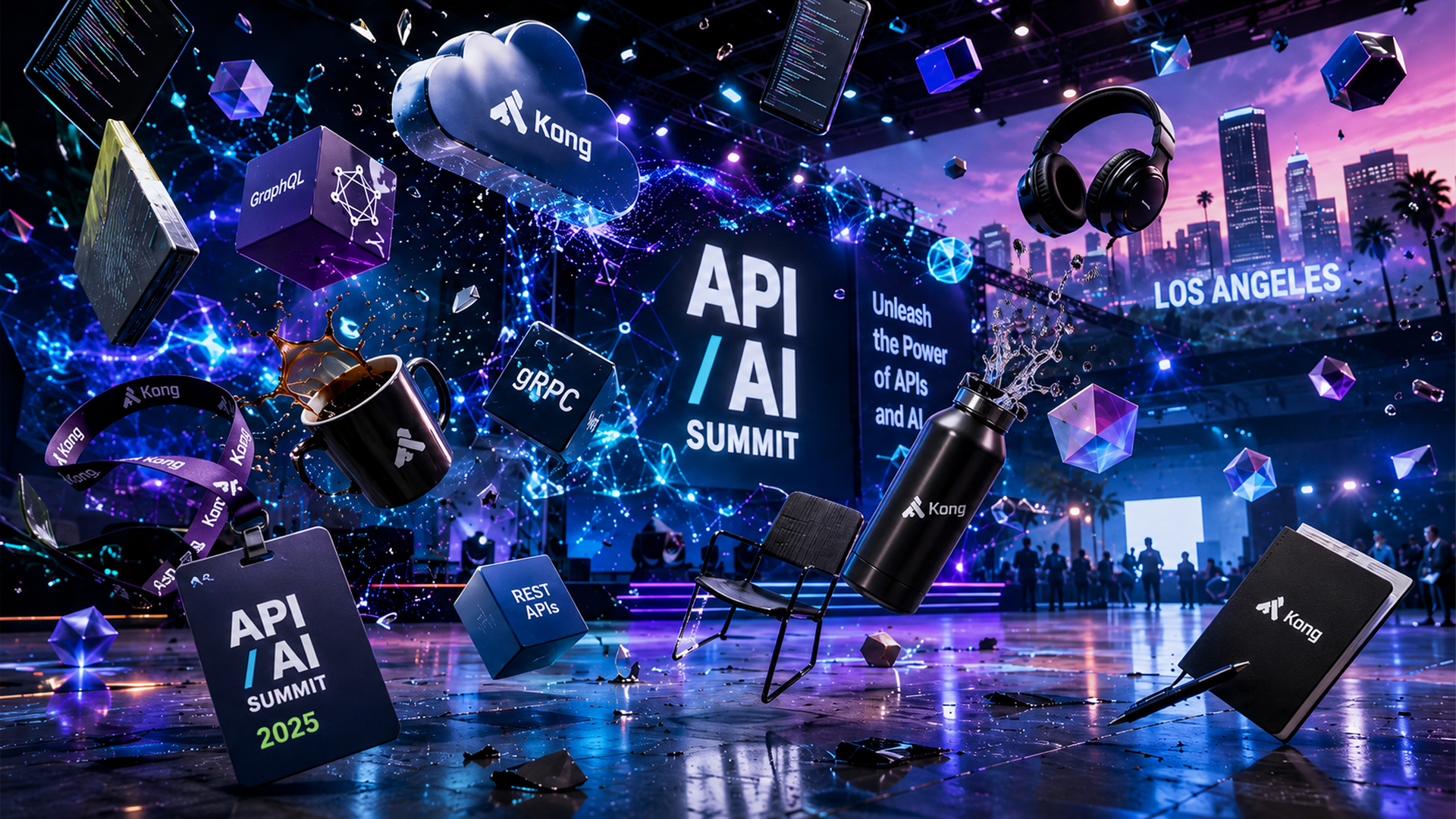
The entire scene is branded - We create a customized chaotic scene with brand / product elements where everything is frozen but the guest
Logo in lower right corner of video
Custom Backdrop option
Pricing Factors
Pricing provided is based on a 3 Hour minimum at $3600 with up to 100 videos. Addtional videos can be created at a cost of $3 to $5 ea.
Multi-Day Events & Trade Shows
Request a Custom Quote
Contact Interactive Dallas at 214.293.5044 or dwalthers@interactivedallas.com for a customized quote based on the event requirements.
Choosing the Right Package
Choose This Experience When
Brand Activation
Trade Show
Coporate Event
Gala
Fund Raiser with Sponsors
Festival with Sponsors
Industries
What is Freeze Frame?
Freeze Frame is an AI video activation that places a guest inside a cinematic scene where the environment appears frozen while the guest moves.
How does Freeze Frame work?
A custom scene is created the guest is captured as a reference and AI video generation places the guest into the environment.
Does the guest appear in the final video?
Yes. The guest becomes the featured moving subject of the final video.
Does the background move?
The environment can remain frozen while controlled camera movement and guest action create a cinematic effect.
What kind of guest actions can Freeze Frame include?
Guests can walk reach pose kick interact with a product or perform another planned action.
Can Freeze Frame include a product?
Yes. A product can be designed into the scene and used as part of the guest interaction.
Can Freeze Frame include a company logo?
Yes. Logos can be incorporated into the background environment or branded objects.
Can Freeze Frame include sponsor branding?
Yes. Sponsor graphics can be integrated into the scene during creative development.
Can each guest receive a different video?
Yes. Each guest can become the featured character while using a consistent event background.
How long are Freeze Frame videos?
Final videos can be designed for different lengths with approximately 10 to 30 seconds being possible depending on the concept.
Is 15 seconds long enough for Freeze Frame?
Yes. A 15-second video can provide enough time for an entrance action reaction and branded ending.
Can Freeze Frame videos be 20 or 30 seconds?
Yes. Longer videos may require additional production time and technical planning.
What format is used for the background?
A 1920x1080 landscape format can be used for many Freeze Frame productions.
Does the guest need to provide a full-body image?
A full-body guest reference is recommended when the action involves walking or full-body movement.
How is the guest captured?
The guest can be photographed or captured using a planned pose and event capture workflow.
Will the guest remain recognizable?
The workflow is designed to preserve the guest’s recognizable appearance and physical characteristics.
Can Freeze Frame be used for groups?
Yes. Group concepts can be designed when the scene and production workflow support multiple participants.
Can Freeze Frame be used at a trade show?
Yes. It can create a high-value branded video experience for booth visitors.
Can Freeze Frame be used at a conference?
Yes. It can be built around the conference theme or sponsor message.
Can Freeze Frame be used for a product launch?
Yes. Product interaction and reveal scenes are strong applications for Freeze Frame.
Can Freeze Frame be used for a sports event?
Yes. Guests can be placed into athletic or competition-based cinematic scenes.
Can Freeze Frame be used for a cybersecurity event?
Yes. A guest can be placed into a scene involving digital threats protection or security.
Can Freeze Frame be used for a sponsor activation?
Yes. The scene can be designed around sponsor products logos and campaign messaging.
Can guests interact with objects in the scene?
Yes. Guest interaction with a planned object can be part of the story.
Can the guest interact with a bottle or product?
Yes. The object can be positioned for the guest to reach hold move or respond to it.
Can the guest interact with another character?
This can be explored during creative development but it depends on the scene and production workflow.
Can the camera move through the scene?
Yes. A controlled push-in slide or orbit can be included.
Does Freeze Frame require a green screen?
The capture method depends on the project and selected production workflow and a green screen is not always required.
Does Freeze Frame require internet?
Internet requirements depend on whether generation sharing or connected services occur during the event.
Can guests receive their videos by QR code?
Yes. QR delivery can be included when the event sharing workflow supports it.
Can videos be shared by email or text?
Yes. Digital delivery options can be planned around the event workflow.
Can guests post the videos to social media?
Yes. The videos can be designed as short-form social-ready content.
Can the video be reviewed before delivery?
A review workflow can be included to check the output before it is released to the guest.
Can the scene be branded for one event?
Yes. A custom background can be designed specifically for one event or campaign.
Can the same background be used for multiple events?
Yes. Backgrounds may be adapted for future events depending on branding and technical requirements.
How long does it take to create a Freeze Frame video?
Timing depends on generation speed video length revisions guest volume and delivery requirements.
Can Freeze Frame generate videos instantly?
Some workflows may generate quickly but the expected timing should be confirmed during project planning.
Can guests choose from multiple scenes?
Yes. Multiple approved scenes can be offered when the event schedule supports the added complexity.
Can the guest choose their action?
The available actions should be selected from the actions designed and tested for the event.
Is Freeze Frame suitable for children?
It can be adapted for appropriate audiences when the client and venue approve the concept.
How much space does Freeze Frame require?
Space depends on the guest capture area staff workflow equipment and event layout.
Does Freeze Frame need an attendant?
An attendant is recommended to guide guests manage capture and monitor the production workflow.
Can Interactive Dallas travel with Freeze Frame?
Yes. Qualifying events outside Dallas–Fort Worth can be quoted with travel and logistics.
Why choose Freeze Frame?
Freeze Frame gives guests a cinematic personalized video experience rather than a conventional still photograph.
Related activations/internal links - Interactive Brand Activations / https://www.interactivedallas.com/interactive-brand-activations / Related Activation - 360 Orb Video Activation / https://www.interactivedallas.com/ai-knowledge-base/360-orb / Related Activation - AI Photo Booth / https://www.interactivedallas.com/ai-photo-booth / Related Activation - Dallas Immersive Technology Activations / https://www.interactivedallas.com/post/dallas-immersive-technology-activations-the-complete-guide / Related Activation - Dallas Luxury Event Activations / https://www.interactivedallas.com/post/dallas-luxury-event-activations-the-complete-guide / Related Activation - Cinematic Event Rentals / https://www.interactivedallas.com/interactive-dallas-blog/tags/cinematic-event-rentals-dallas / Related Activation Contact Interactive Dallas Interactive Dallas 214.293.5044 dwalthers@interactivedallas.com /contactPricing Guidance
Branding Options
The entire scene is branded - We create a customized chaotic scene with brand / product elements where everything is frozen but the guest
Logo in lower right corner of video
Custom Backdrop option
Deliverables
Guests can share information through text and email, with the option to capture these details if requested beforehand.
Setup Requirements
Setup Time
We recommend a space approximately 8 feet by 8 feet.
Required items:
- One highboy table
- Access to high-speed internet (Wi-Fi or wired) with a minimum speed of 30 Mbps to ensure smooth operation
- Access to a 120V, 15-amp power outlet
Recommended Space
8' X 8'
Power and Internet
120V 15amp
Staffing
### Staffing Notes
Freeze Frame is typically staffed by two trained Interactive Dallas team members. One team member directs the guest, manages the capture process and helps the participant perform the planned action. The second team member manages the technical workflow, scene selection, AI video generation, quality review and digital delivery.
A single cross-trained attendant may be appropriate for a simple low-volume program with one scene and delayed delivery. High-volume events, multiple scenes, on-site generation or immediate guest delivery may require three or more staff members. Final staffing is determined by guest volume, scene complexity, generation time, review requirements and the selected sharing workflow.
Throughput
One Per Minute - Video creation will take 2-5 minutes.
Freeze-Frame
30-40
Guest groups per hour
60-100
Potential guests per hour
Custom AI scenes, Branded backgrounds, Sponsor visuals, Cinematic effects
Recommended AI themes
8' × 8'
Ideal footprint
Planner summary
Plan Freeze-Frame for corporate events, product launches, galas, and high-energy brand activations.
Space: allow approximately 8' × 8' for the camera array, guest position, operator, and safe circulation. Setup requires advance venue access and varies with the selected camera configuration. Up to 100 completed videos are included in the standard package. Staffing, power, output style, branding, and venue access are confirmed during planning.
Best Uses:
- Brand Activation
Trade Show
Coporate Event
Gala
Fund Raiser with Sponsors
Festival with Sponsors
Frequently Asked Questions
What is AI Photo Booth?
+
What is Freeze Frame?
Freeze Frame is an AI video activation that places a guest inside a cinematic scene where the environment appears frozen while the guest moves.
How does Freeze Frame work?
A custom scene is created the guest is captured as a reference and AI video generation places the guest into the environment.
Does the guest appear in the final video?
Yes. The guest becomes the featured moving subject of the final video.
Does the background move?
The environment can remain frozen while controlled camera movement and guest action create a cinematic effect.
What kind of guest actions can Freeze Frame include?
Guests can walk reach pose kick interact with a product or perform another planned action.
Can Freeze Frame include a product?
Yes. A product can be designed into the scene and used as part of the guest interaction.
Can Freeze Frame include a company logo?
Yes. Logos can be incorporated into the background environment or branded objects.
Can Freeze Frame include sponsor branding?
Yes. Sponsor graphics can be integrated into the scene during creative development.
Evidence and proof
Evidence and Results

The Dallas Cowboys sought to enhance the visitor experience at The Star in Frisco, Texas, their practice facility, by offering guests something beyond traditional event photography. Conventional photos did not fully capture the unique and memorable experience they envisioned. Over a two-week concept development period, Interactive Dallas created and presented the Freeze Frame concept—a personalized, AI-powered guest video experience designed to be more immersive than standard photographs.
The Dallas Cowboys embraced the Freeze Frame concept, approving it as the new direction for their visitor engagement. This project marked the inception of the Freeze Frame app, which was specifically developed to meet the client’s desire for an elevated and distinctive guest experience. By integrating emerging AI video technology with the Dallas Cowboys’ visitor experience, Freeze Frame was born out of a tailored client need rather than as a generic photo booth solution. This collaboration highlights how customized client requirements can inspire the creation of innovative experiential technology platforms.
Dallas Cowboys Club Holiday Party: Santa and the Digital Graffiti Wall
The Dallas Cowboys Club was planning its annual holiday party and wanted to offer families a memorable experience with Santa. The client wanted something more interactive and engaging than a traditional photo booth.
Interactive Dallas provided the Digital Graffiti Wall and incorporated a live Santa into the activation. Families posed for photographs with Santa before and after lunch, then used the Digital Graffiti Wall to personalize their images with creative digital effects.
The activation gave guests the familiar tradition of a family photograph with Santa while adding an interactive experience that made each image more personal and entertaining. The Digital Graffiti Wall was enthusiastically received and became a popular part of the holiday party.
First-party observation
The Digital Graffiti Wall successfully transformed a traditional Santa photo opportunity into an interactive family experience at the Dallas Cowboys Club’s annual holiday party.
Context: Families participated before and after lunch.
Event/source: Dallas Cowboys Club annual holiday party; Interactive Dallas internal event record.
Verification status: First-party observation—verify and approve internally before publishing.